Make your hardware do more

Run AI models, create media, and automate workflows on the hardware you own.

macOS · Linux · Open source

Generated with mere.run on a Mac laptop.

Put your hardware to work

Create media, analyze data, train adapters, and run models for your apps. Choose models that fit your hardware and connect tasks into repeatable workflows.

Create
Images, video, music, and voice

Generate and edit images, create video with synchronized audio, and explore persistent worlds. Add music, sound effects, and speech to your projects.

mere.run video generate --variant unified-av --model video-ltx23-av-mlx See it run →
Understand
Vision, language, and retrieval

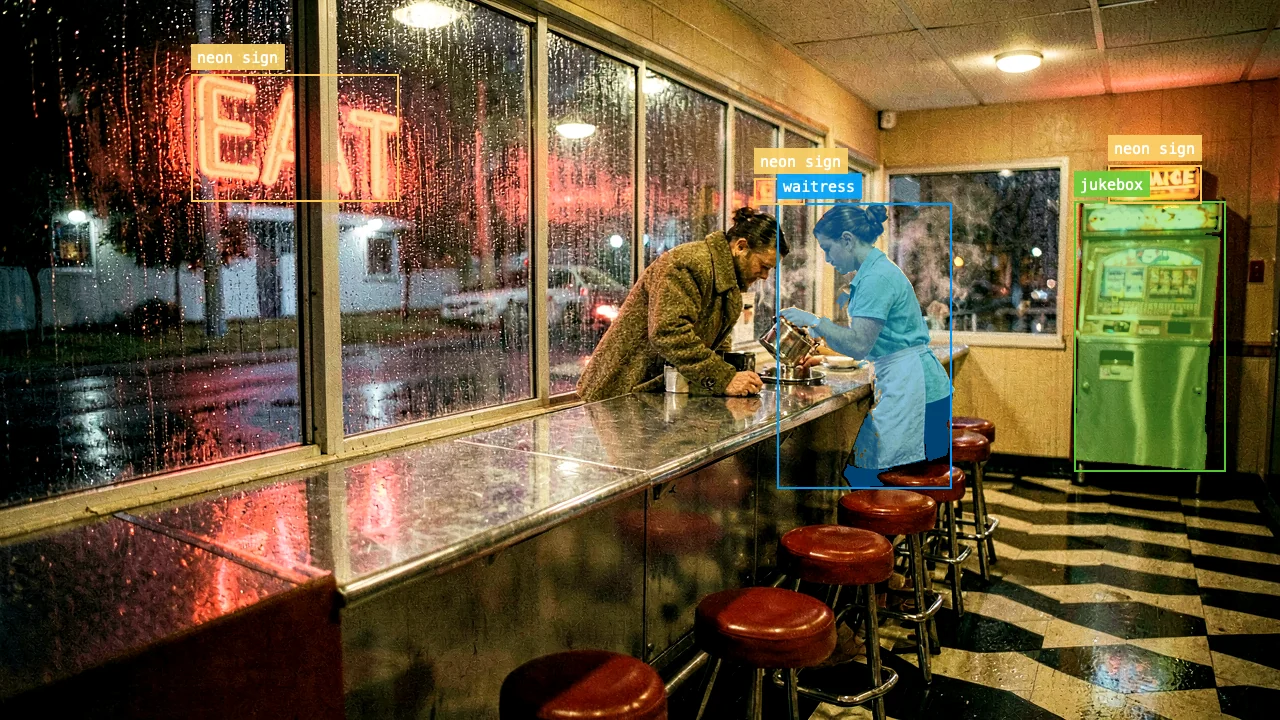
Find objects in images, read text from documents, and search with text or image queries. Anonymize personal information with local models.

mere.run vision ground scene.png --query "waitress" See it run →
Train
Adapters and evaluation

Train image and text adapters with your datasets. Check the training plan before loading a model, then inspect checkpoints and evaluation results.

mere.run image train-lora --data ./dataset --output ./style.safetensors --preflight --json See it run →
Reconstruct
3D, geometry, and Earth observation

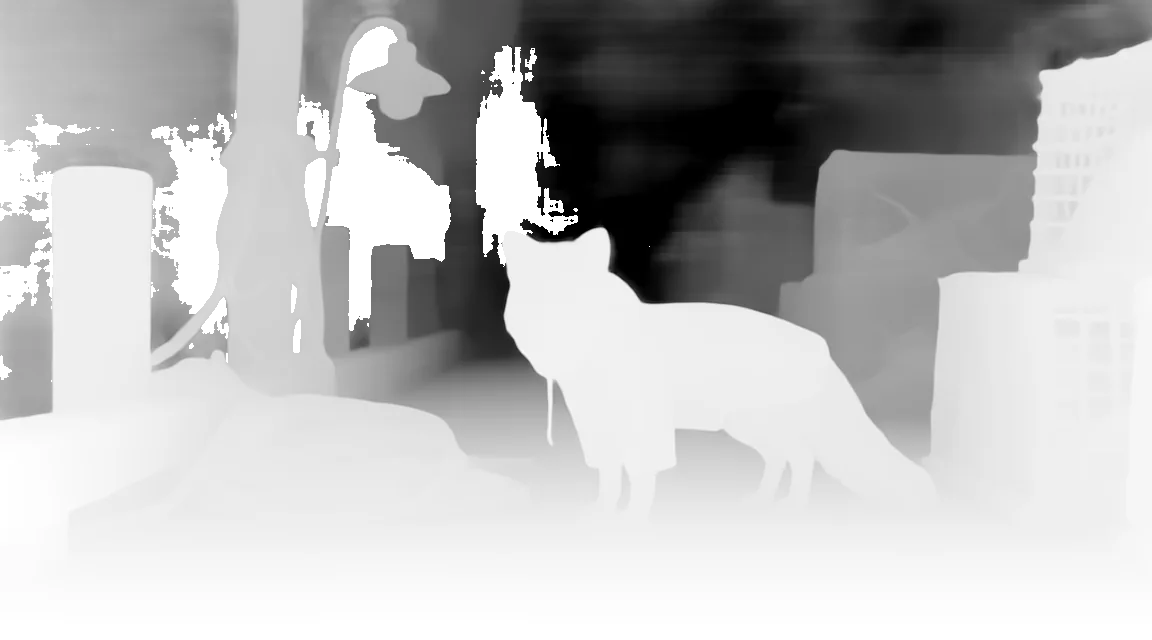
Build a textured 3D mesh from an image, estimate scene depth, and process satellite observations. Save the outputs for your next workflow.

mere.run vision image-to-3d-trellis2 object.png -o ./mesh See it run →
Automate
Repeatable workflows

Connect tasks into a workflow and run the same plan locally, over SSH, or through Relay. Inspect runs and retrieve their outputs.

mere.run graph run workflow.json --inputs-json inputs.json --run-dir ./runs/local See it run →
Serve
Local API and apps

Connect your apps to an OpenAI-compatible API on your machine. Serve chat, embeddings, images, speech, and transcription, or use models through Open WebUI.

mere.run open-webui quickstart --pull API details →
mere.

Run a task from your terminal. Use the same commands in your scripts.

~/projects · zsh
$ mere.run model pull image-3d-trellis2-4b --preflight --json download size, disk, and license reported before any bytes move
$ mere.run vision image-to-3d-trellis2 ./object.png --seed 43 -o ./mesh sealed PBR mesh · GLB + OBJ + PLY + PBR voxels + run manifest
$ mere.run image train-lora --data ./dataset --output ./style.safetensors --preflight --json typed plan first; drop --preflight to train with loss CSV and checkpoints
$ mere.run video cosmos3 "navigate the room" --mode text-to-video --output ./world.mp4 Cosmos3 Edge generation and action dynamics
$ mere.run music transcribe ./mix.wav --format midi -o ./mix.mid MuScriptor instrument-separated MIDI from a full mix
$ mere.run graph run workflow.json --inputs-json inputs.json --run-dir ./runs/local immutable graph → portable execution → durable artifacts

Agent workflows

Check the plan. Run the work

Before loading a model, use --preflight --json to check downloads, memory requirements, and planned work. Run workflows locally, over SSH, or through Relay. Each run records its outputs and diagnostics for inspection.

  • Preflight for training, video, SFX, tracking, serving, and model pulls
  • Reusable JSON run plans
  • Searchable run directories with manifests, checksums, and provenance
  • Model recommendations based on the machine
  • Resident API models with admission control and continuous batching
  • Portable graphs with watch, fetch, resume, and material provenance
agent session · preflight → approve → execute → inspect
$ mere.run image train-lora --data ./dataset -o ./style.safetensors --preflight --json "status": "ok" · "24 usable pair(s), ready to train." · plan typed out, nothing loaded
> plan approved
$ mere.run image train-lora --data ./dataset -o ./style.safetensors 144 layers injected · 250/250 steps · adapter + 4 checkpoints + loss CSV saved
$ mere.run run inspect ./run --json "status": "ok" · 41 artifacts · diagnostics + next actions
Open-source tools

Do more across your machines

Use Relay to distribute work across your machines. Build workflows in Graph Studio and add integrations with official plugins. Each project has public source under the MIT License.

01 Relay + Nodes

Connect the machines you own

Install mere.run node on a Mac or Linux machine. Add it to your Relay account to receive jobs through an outbound connection.

  • One private compute pool per mere.world account
  • Balanced, fastest, or power-efficient scheduling
  • Node downloads for macOS, Linux x86_64, and Linux arm64
  • Open source under the MIT License
install node approve machine send work
02 Graph Studio

Build a workflow. Choose where it runs

Connect image, video, audio, and text tasks on a canvas. Run the workflow on your workstation, over SSH, or through Relay.

  • Easy and Pro modes over one graph document
  • Executor-aware preflight, runs, and artifact inspection
  • Hosted Studio plus an offline desktop app
  • Open source under the MIT License
author preflight run on your GPUs
03 Official plugins

Install the workflow you need

Add tools for video production, music, redaction, and automation. Plugins manage workflow plans, saved outputs, and cleanup around local model runs.

  • VFX, realtime music, ShotGrid, redaction, automation, and GPU training
  • Thirteen official plugins in a machine-readable catalog
  • Durable manifests, resumable runs, and explicit cleanup
  • Open source under the MIT License
$ mere.run plugin install mere-vfx-tools

Use the compute you own

Run local models without per-call runtime fees.

Choose where work runs

Local runs keep prompts and outputs on your machine. Remote workflows send job data to the executor you select.

MIT licensed

Inspect, modify, and build on the runtime source code. Model licenses apply separately.